We use cookies to make this site work. We'd also like to set optional cookies so we can understand how the site is used and improve it. We will not set optional cookies unless you accept them. You can change your choice at any time from the Cookie settings link in the footer.
Strictly necessary cookies
These cookies are required for the site to work. They store your cookie preferences and keep your session secure. They are exempt from consent under PECR Regulation 6(4) because they are essential to deliver the service you have requested.
Optional cookies
Optional cookies help us understand how the site is used and provide additional features such as analytics, accessibility tools and translation. We will only set them if you accept.
Guidepost Medical Group
The NHS App
The NHS App
Guidepost Medical Group would like to invite you to use The NHS App
Practice notifications such as appointment reminders will be sent in the first instance to the app. Please make sure you turn on notifications to enable communications.
You can also submit eConsults directly from the app. If you have any issues installing or navigating the app on your phone or tablet, please pop into the surgery where our NHS App Champion, Diane, will be happy to help you.
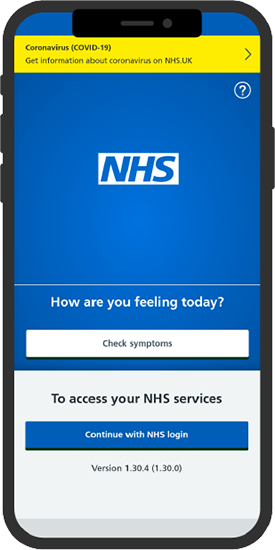
What The NHS App does
Use the NHS App to:
- get advice about coronavirus – get information about coronavirus and find out what to do if you think you have it
- order repeat prescriptions - see your available medicines, request a new repeat prescription and choose a pharmacy for your prescriptions to be sent to
- book appointments - search for, book and cancel appointments at your GP surgery, and see details of your upcoming and past appointments
- check your symptoms - search trusted NHS information and advice on hundreds of conditions and treatments, and get instant advice or medical help near you
- view your medical record - securely access your GP medical record, to see information like your allergies and your current and past medicines
- register your organ donation decision - choose to donate some or all of your organs and check your registered decision
- find out how the NHS uses your data - choose if data from your health records is shared for research and planning
Other services in the NHS App
If your GP surgery or hospital offers other services in the NHS App, you may be able to:
- message your GP surgery, doctor or health professional online
- consult a GP or health professional through an online form and get a reply
- access health services on behalf of someone you care for
- view your hospital and other healthcare appointments
- view useful links your doctor or health professional has shared with you
Keeping your data secure
After you download the app, you will need to set up an NHS login and prove who you are. The app then securely connects to information from your GP surgery.
If your device supports fingerprint detection or facial recognition, you can use it to log in to the NHS App each time, instead of using a password and security code.